

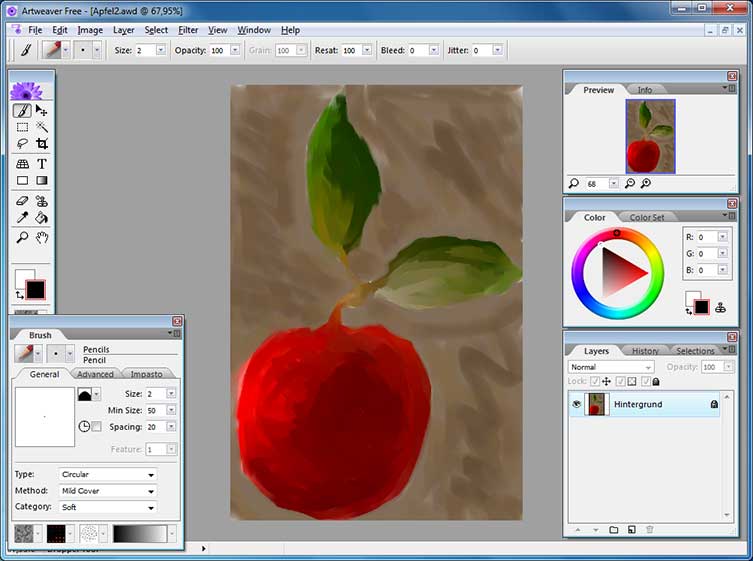
When choosing a graphics package it is important to select the right tool for the job. Opt for too basic a program and you may find that you do not have access to all of the tools you need, while opting for a program which is more advanced can mean a steep learning curve and great expense. Artweaver positions itself neatly between the two, being both powerful and instantly accessible for users of all levels of ability.
Full support for layers and a wide variety of brushes, along with a range of effects filters, means that Artweaver provides you with everything you need to get started on creative ventures. Brushes are highly configurable so they can be tailored to very specific tasks while support for transparency and the Photoshop PSD format means that it is not only possible to generate very impressive results, it is also possible to work with files that have been created in other programs.
A graphics tablet can be used with Artweaver to allow for greater control over the tools provided, and completed projects can be saved in a variety of popular formats. Upgrading to the paid for Plus version of the program adds support for Photoshop plugins, and the saving and playback of onscreen events – this can be used to demonstrate techniques to others. With the Artweaver Plus, large documents can be created and a great degree of control over brushes is available.
Verdict:
Free yet powerful, Artweaver is an accessible piece of software that makes it easy to get creative
(2)
Design & Illustration
Specifications
Changelog
Version 8 changes (full changelog):
– The brush palette which provides all brush settings is back and replaces the brush editor
– Quick access in brush tool to frequently used features like zoom, rotation, color and last used brushes
– Brush selector now shows by default a stroke preview of each brush besides the regular preview
– Mirror painting is now part of the brush tool and no longer an extra tool
– Clone source selection moved from main menu to brush tool options
– Brush engine enhancements to Jitter, Stroke smoothing and Warp method
– Pen calibration moved into its own dialog with a scratchpad to test settings
– Color history for recently picked colors moved to color set palette
– Displaying of vanishing point in perspective grid improved
– New options Sample size in magic wand tool and Interactive in gradient tool
– Support for selections outside of the document bounds
– Color themes reduced to only Light and Dark and also noticeable improved
– Read support for the SVG format
– Read and write support for the WebP format





Leave a Reply